Now you can book flights on installments with FlyQuick and TravelPay, making it easy to secure your trip today and pay later in simple installments.
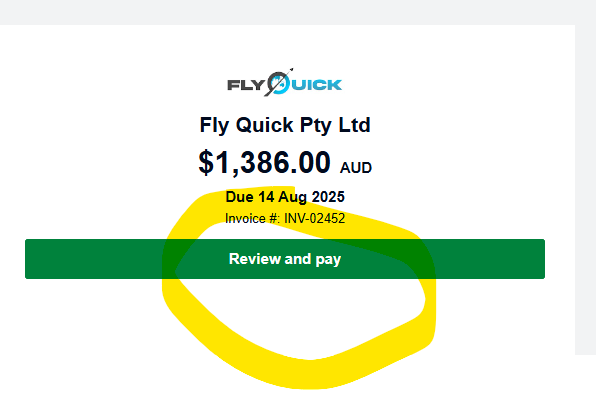
Step 1: Open your invoice
You’ll receive an invoice from FlyQuick by email. Click Review and Pay. This will take you directly to the secure Travel Pay page.
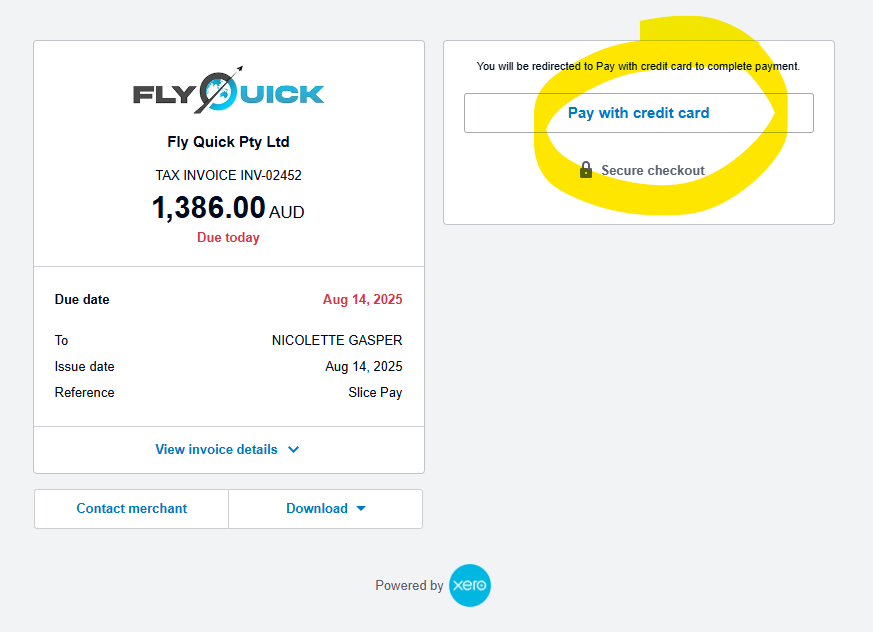
Step 2: Choose credit card
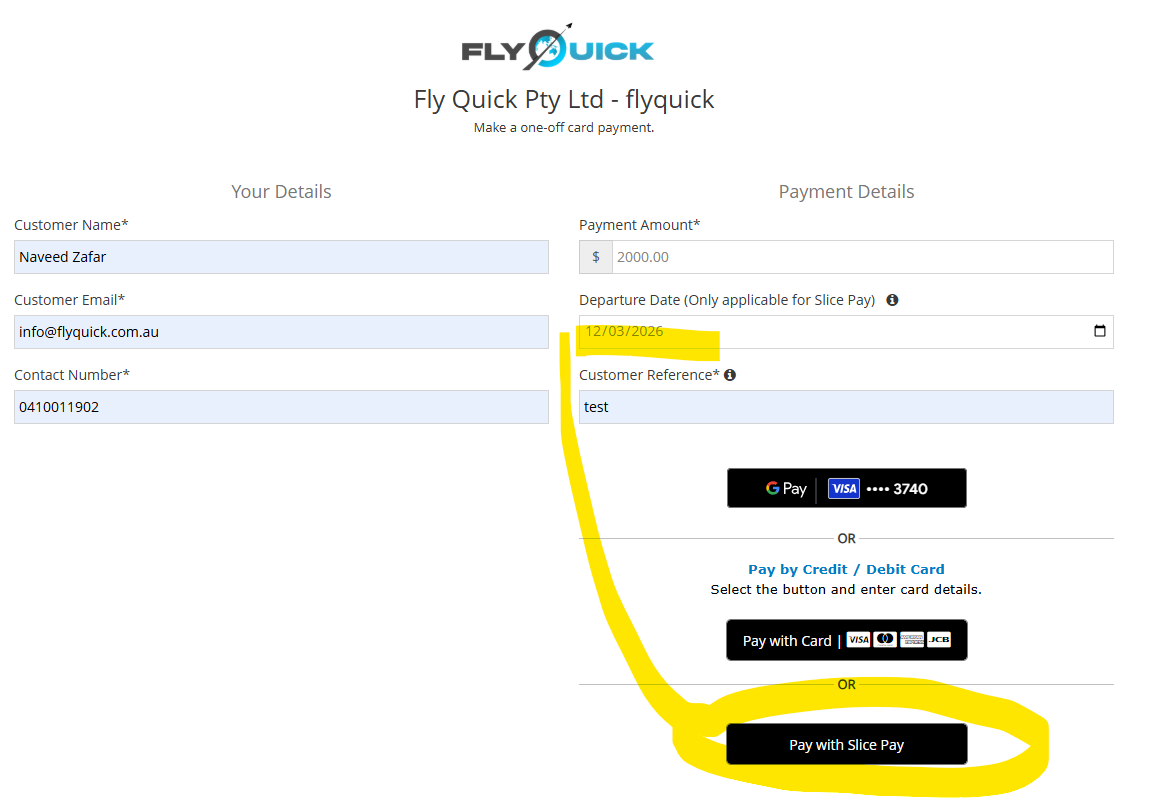
On the payment page, select Pay with credit card. You’ll then see SlicePay as one of the available options.
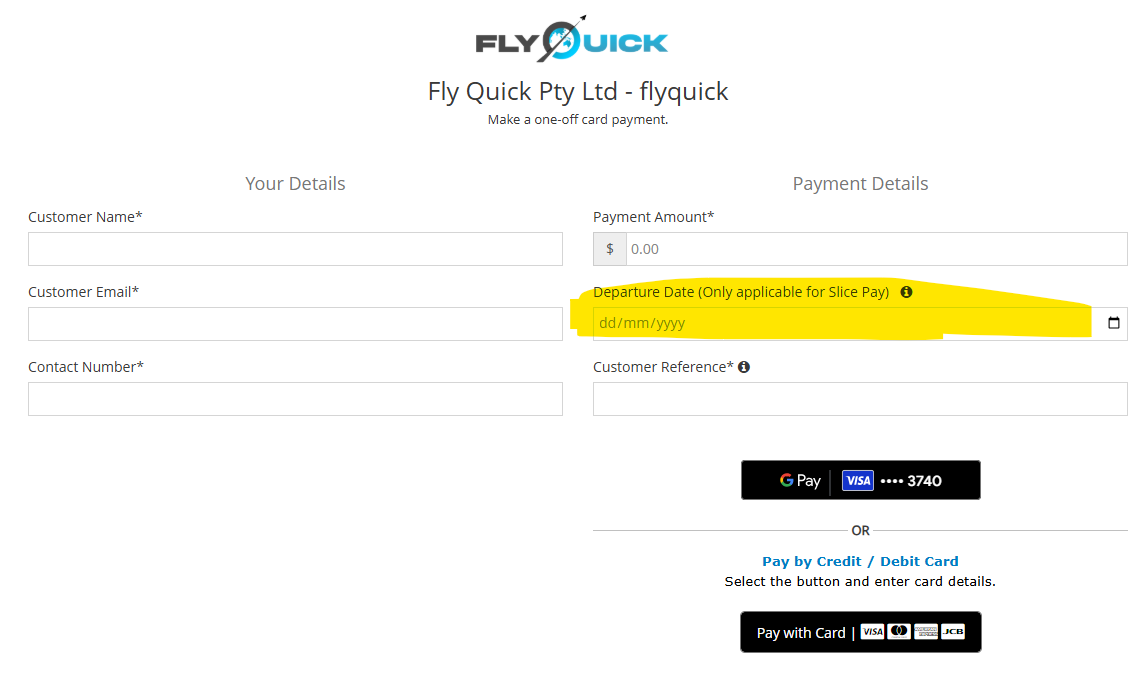
Step 3: Enter your details
Type in your departure date and the reference number from your invoice. Once these are filled in, a black button for SlicePay will appear at the bottom of the page.
Step 4: Select SlicePay
Click the black Pay with SlicePay button. You’ll be redirected to a screen where you can review repayment options.
Step 5: Review your plan
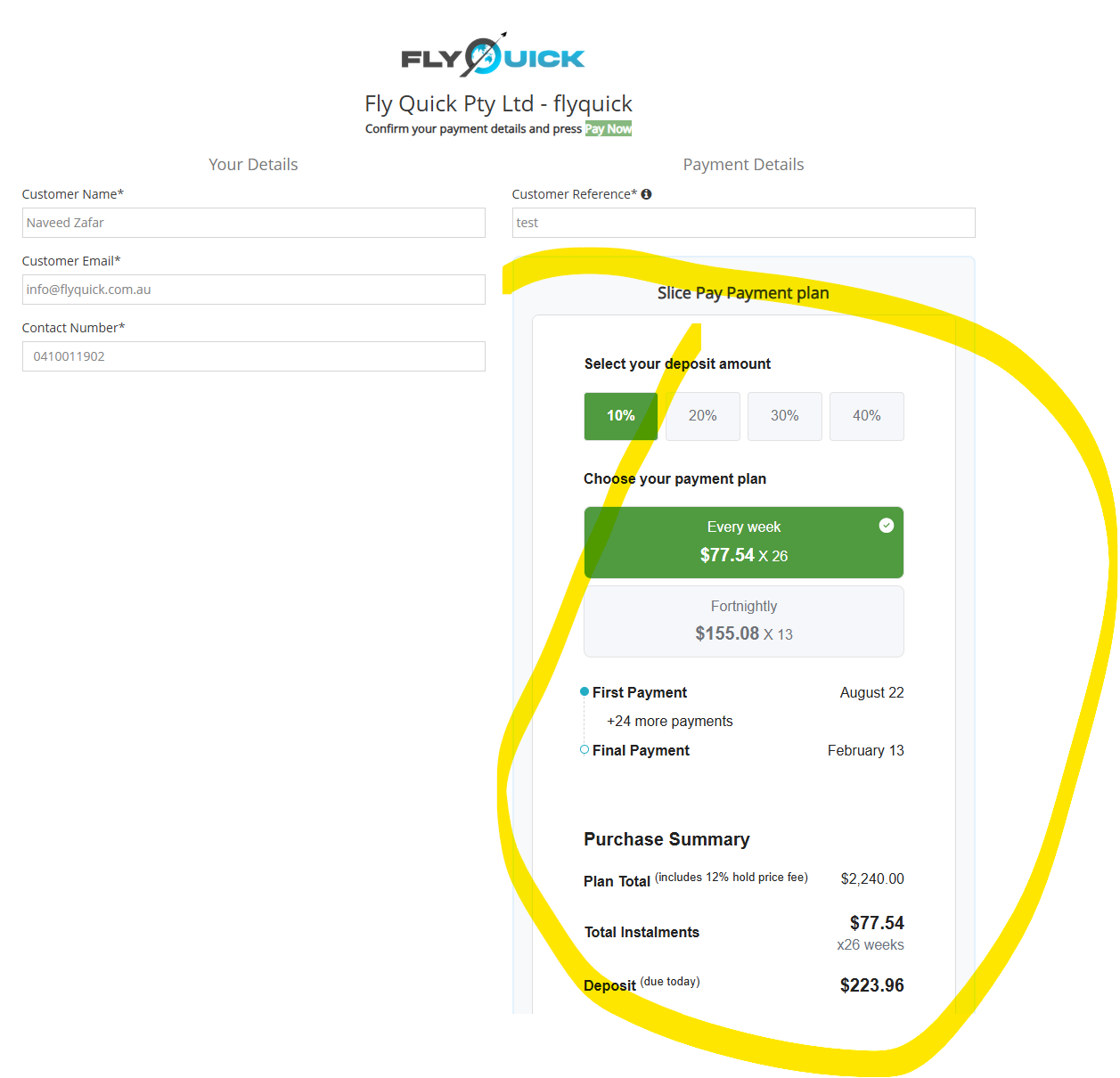
Use the calculator to see what your repayment schedule looks like. Tick the box to confirm that you agree to the terms.
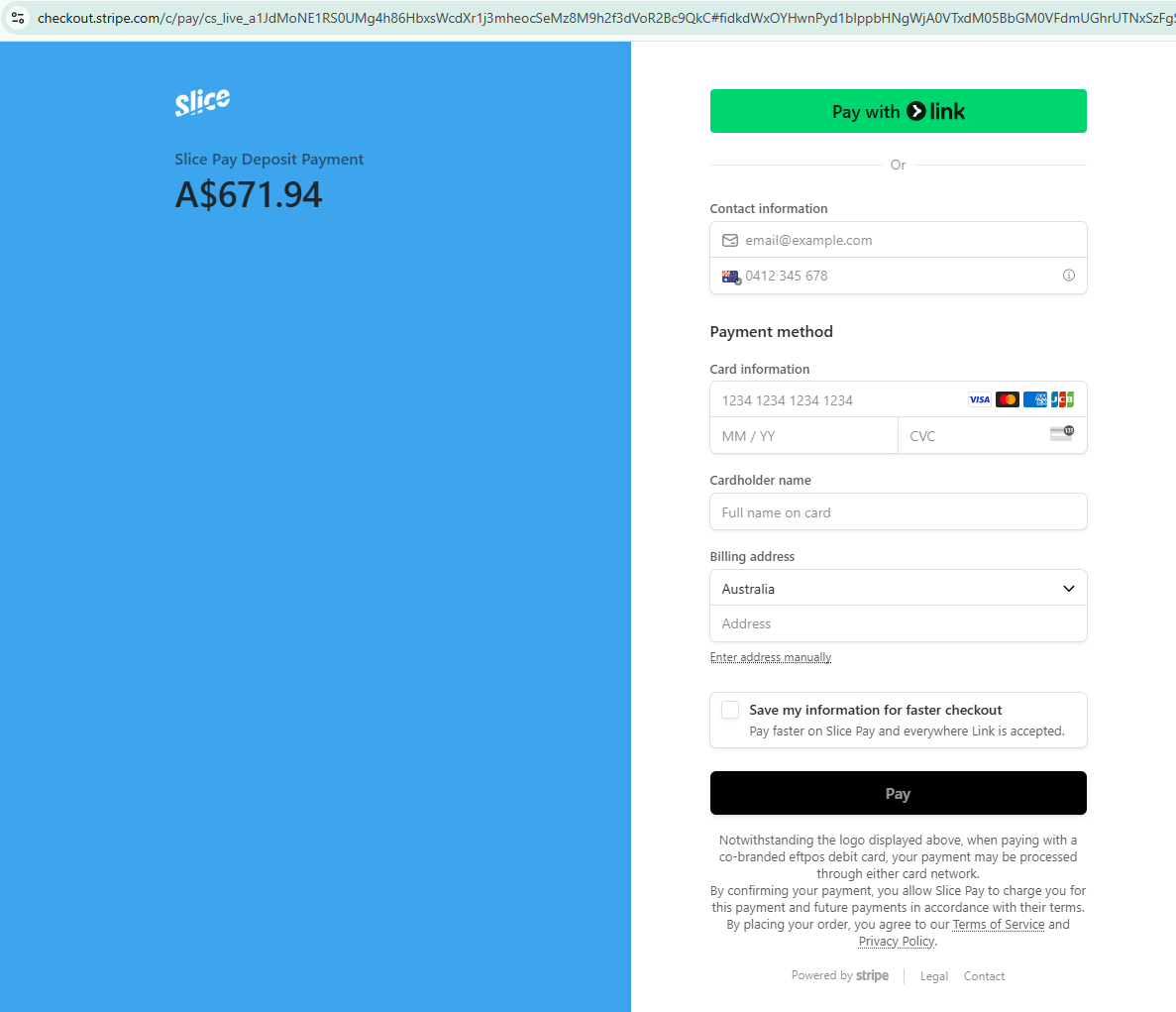
Step 6: Pay your deposit
Make your deposit payment. Your remaining repayments will then be collected automatically according to the plan you selected.